

Welcome to Kanban
A live, Trello-style board for small teams — with an MCP server so AI clients can work the board too.
Kanban is a Trello-style board for small teams: one workplace, four clear lanes, and every task —
checklist, tags, comments — moving live with the people who care about it.
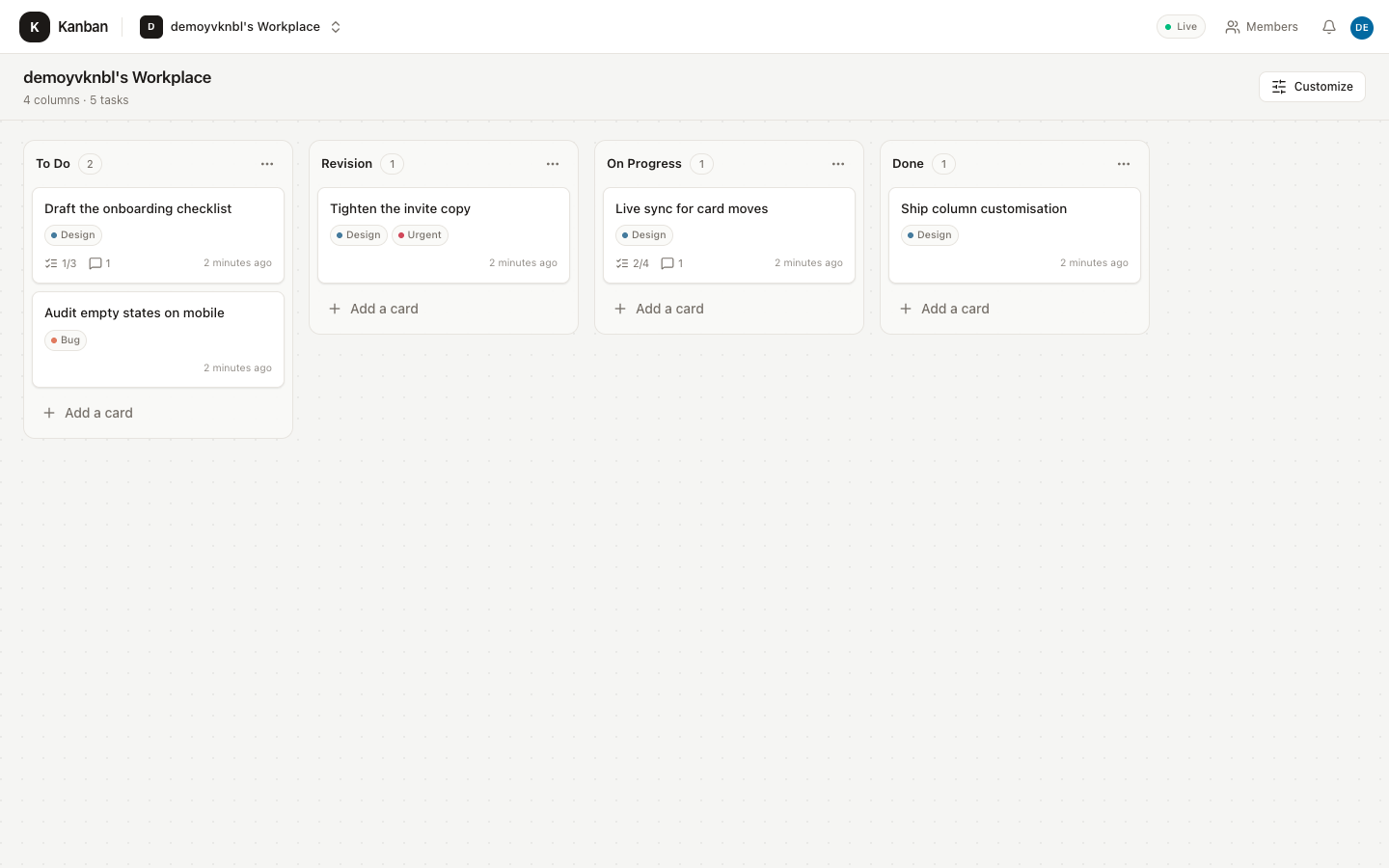
Screenshots use a throwaway demo account. No real user data is shown.
What you get
- A workplace per account — registering
adacreatesada's Workplacewith the columns
To Do → Revision → On Progress → Done. - Owner-controlled columns — rename, reorder, hide without deleting cards, add, and delete.
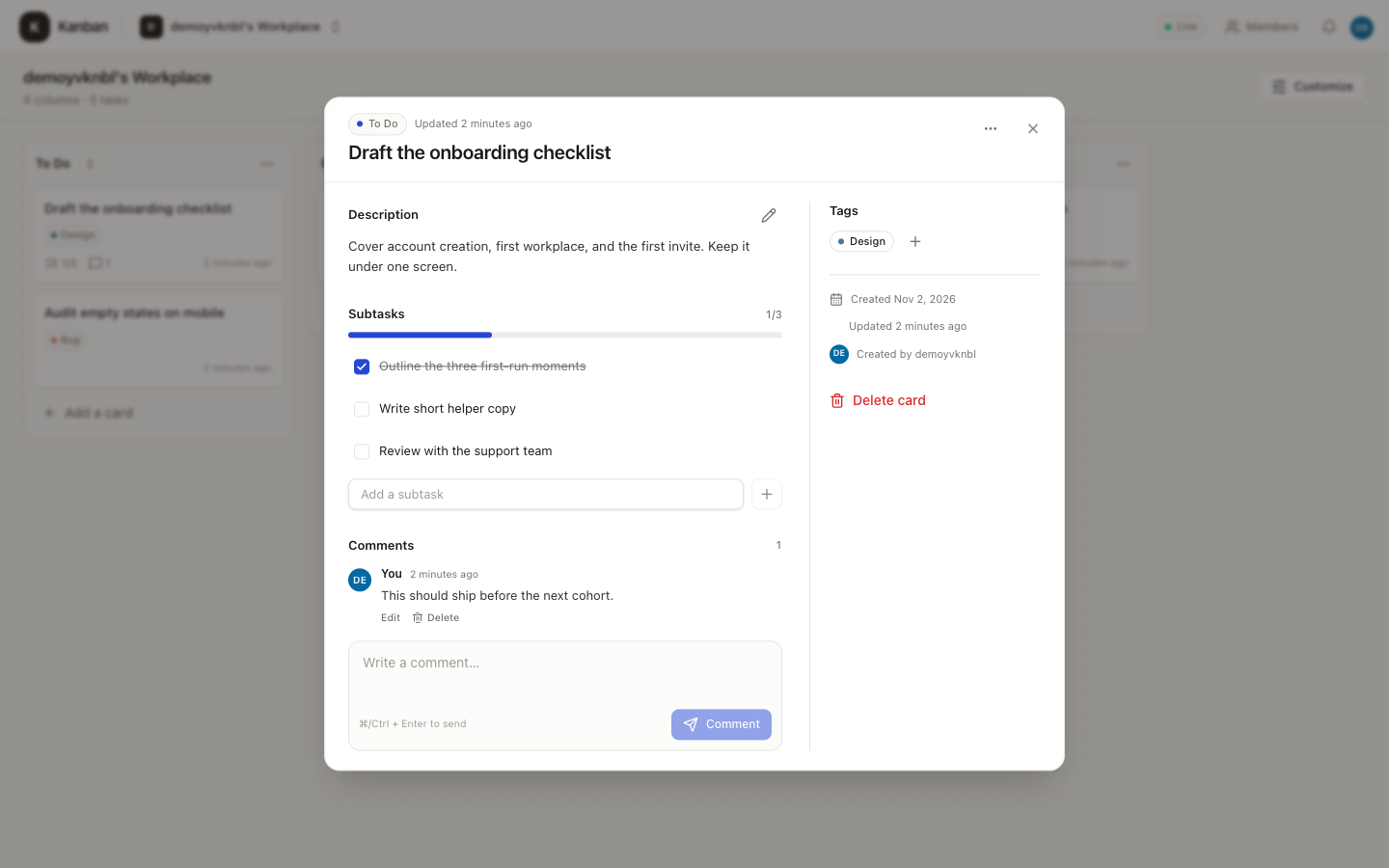
Deleting a column moves its cards to the first visible remaining column. - Rich cards — Markdown description with Write/Preview, checklists, colored tags, multiple
assignees, and a comment thread. - Cross-column drag and drop — mouse, touch, and keyboard, with server-side ordering that
survives reload. - Realtime — Socket.IO keeps every member's board in sync as work moves.
- Invitations and roles — the owner manages structure, invitations, members, and tags; members
work on cards. - Guided sign-up — usernames and emails are checked live, a strength meter enforces a stronger
password, and reserved names are rejected. - AI access — an MCP server exposes 39 board tools, so Claude, Cursor, Codex, or any MCP client
can work the board without opening a browser.
Two ways to use it
| Interface | Best for |
|---|---|
| Web app | People who want to see, drag, and discuss work on a board |
| MCP server | AI clients and automations that should create, move, and update work directly |
Both talk to the same API, so changes made by an AI show up live in an open browser.
Where to go next
- Quick start — run the app locally in five steps.
- How it works — workplaces, roles, ordering, and realtime.
- MCP server — connect an AI client to the board.
- Configuration — environment variables and security settings.
- Deploy — put it on Render, Railway, Fly.io, or any Docker host.
Updated 13 days ago
Did this page help you?